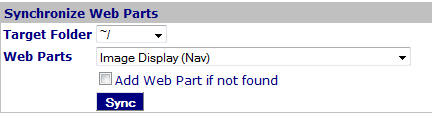
Figure 1: Synchronization Web Parts
CMS Synchronization Web Part
This Web Part is used by the COR Administrator to synchronize Web Parts to pages within a folder.
Access
This Web Part is accessed by the
CMS Admin Panel.
Features
Features for the Manage Files Web Part include:
- Web Parts can be synchronized from a source Web Part to every page in a folder.
Procedure
Files are synchronized as follows:
- Select the targeted folder with pages that need to be synchronized.
- Select the Web Part that is the source on this page.
- Check 'Add Web Part' if a web part should be added if not found on the page.
- Click "Sync' to update the 'same' Web Part on every page in the targeted folder.
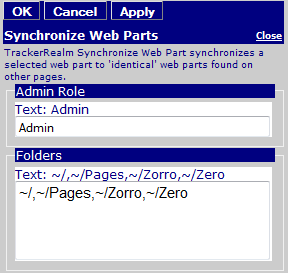
Figure 2: Synchronization Web Parts Editor
Edit Properties
Custom Edit properties include:
- Admin Role: A comma-delimited list of Roles that can use the Web Part.
- Folders: A comma-delimited list of folders that can be targeted for synchronization.
- Common COR Edit Features