Page History: Web Part: CMS Draft Content
Compare Page Revisions
Page Revision: 2011/04/14 17:34
CMS Draft Content Web Part
The CMS Draft Content Web Part displays a list of content saved as 'Draft' content in Rich Text Web Parts. It is used by the website Publisher to identify content that should be reviewed. Figure 1 shows an example of the Web Part.
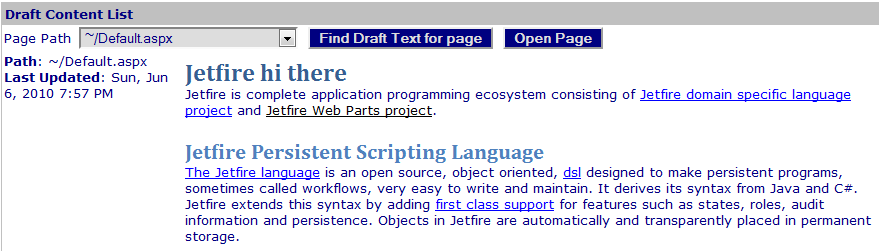
- Select a page and click the 'Find Draft Content for page' button to find all draft content on a page.
- When a page is selected, use the 'Open Page' button to open the selected page.
COR Draft Content Features
When a COR Administrator updates a Rich Text Viewer and saves the Content as Draft, it is not displayed until a CMS user with Publisher Roles publishes the draft content. This Web Part is used by the Publisher to review Draft Content.
Draft Content can be displayed for individual pages.
Edit the CMS Draft Content Web Part
There are no specific properties defined for the Web Part. The Web Part uses
Common CMS Edit Features.