Edit properties for Jazz Filtering include:
- Config File: an xml-based file that contain workflow configuration parameters used to customize the display of a Jazz object.
- Filter by Site: Sites define a specific location. Network Applications that exist at multiple stores, e.g. stores, find it useful to filter objects for a specific store.
- Filter: A 'name=value;' delimited list of properties and values used to filter the collection displayed. The model MUST satisfy ALL conditions to be displayed.
- Foreign Key Filter: A 'propertyName;DisplayName;group;' property and group used to filter the collection displayed. e.g. ProjectId;Hobbits;Project, where ProjectId is a foreign key property, Hobbits is the name displayed on the form and Project is the class name of the group displayed in the drop down list.
|
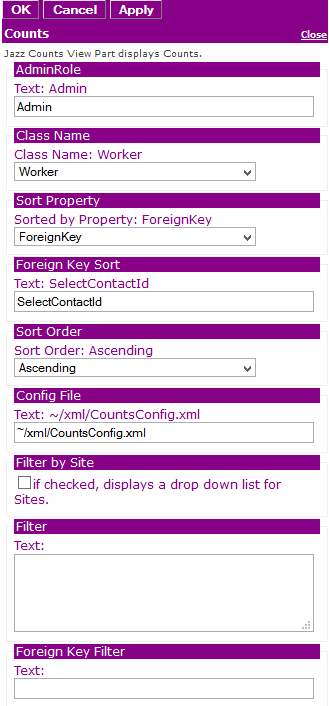 Figure 2: Editor for Jazz Counts |