Page History: Web Part: Jazz Rotator
Compare Page Revisions
Page Revision: 2014/09/18 01:22
Jazz Rotator Web Part
- The Jazz Rotator Web Part rotates through Jazz objects one at a time. This is useful as a news rotator.
|
 Figure 1: Jazz Rotator 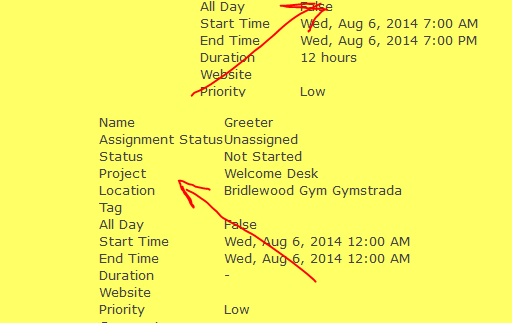 Figure 1: Jazz Rotator |
Access
This Web Part is accessed by the
Jazz Base Library.
Edit Properties
Custom Edit properties include:
- Class Name: The class name of Jazz objects that are displayed.
- Sort Property: identifies the property used to sort the Jazz objects.
- Name: The name of the Jazz object.
- CreatedOn: The date when the Jazz object was created.
- CreatedBy: The person who created the Jazz object.
- UpdatedOn: The when the Jazz object was last updated.
- UpdatedBy: The person who last updated the Jazz object.
- Site: The site where the Jazz object was created.
- Sort Order: The order in which Jazz objects are sorted.
- Ascending: objects are sorted in ascending manner.
- Descending: objects are sorted in descending manner.
- None: No sort order.
- Config File: an xml-based file that contain workflow configuration parameters used to customize the display of a Jazz object.
- Filter by Site: Sites define a specific location. Network Applications that exist at multiple stores, e.g. stores, find it useful to filter objects for a specific store.
- Filter: A 'name=value;' delimited list of properties and values used to filter the collection displayed. The model MUST satisfy ALL conditions to be displayed.
- Foreign Key Filter: A 'propertyName;DisplayName;group;' property and group used to filter the collection displayed. e.g. ProjectId;Hobbits;Project, where ProjectId is a foreign key property, Hobbits is the name displayed on the form and Project is the class name of the group displayed in the drop down list.
- UrlField: The field in the Jazz object that represents a url and can be used in the Web Part as a link to be clicked.
- PanelCssClass: The CSS style for the background.
- ScrollDuration: The length of time that it takes to scroll to the next object.
- FrameDuration: Thee length of time that the object is displayed.
- RotatorType: The way in which objects are rotated.
- AutomaticAdvance
- ButtonsOver
- Buttons
- SlideShow
- SlideShowButtons
- FromCode
- Carousel
- CarouselButtons
- CoverFlow
- CoverFlowButtons
- ScrollDirection: .
- ShowLabels: If checked, then show the labels for the Jazz object.
- Left
- Right
- Up
- Down
|
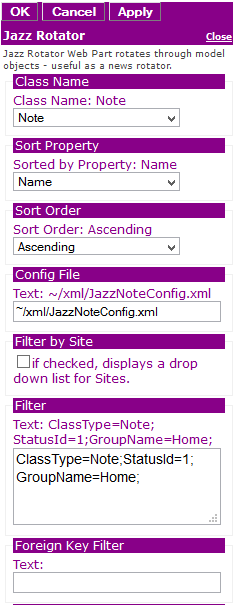 Figure 3a: Editor for Jazz Rotator |