Web Part: CMS Audits

Modified on 2011/04/20 21:31 by Charles — Categorized as: CMS, CMS Administration, Web Parts

Table of Contents [Hide/Show]


Figure 1: CMS Audits

Figure 1: CMS Audits

CMS Audits Web Part

This Web Part displays audits saved by the system.

Access

This Web Part is accessed by the CMS Admin Panel.

Procedure

To view CMS Audits:
  1. Select how the audits are reported by: All, Page, User, Change_Type, User_Change_Type
  2. If Report By = All or Page, select a select.
  3. If Report By = All, User or User_Change_Type, select a user.
  4. If Report By = All, Change_Type or User_Change_Type, select a change type.
  5. Select the Sort Order:
    • User: Audits are sorted by User.
    • ChangeType: Audits are sorted by change type.
    • PageUrl: Audits are sorted by page address.
    • Chronological (the earliest audits are displayed first).
    • ReverseChronological (the latest audits are displayed first).
    • None: no sorting is performed.
  6. Click the 'Get Audits' button to retrieve the audits from the database.

Figure 2 shows a list of Audits for a 2 day interval.  The number of audits found is reported. Figure 2: CMS Audits search

Figure 3 shows the details of adding a Web Part to a page. Figure 3: CMS Audits with Details

Figure 4: Upload Files Editor

Figure 4: Upload Files Editor

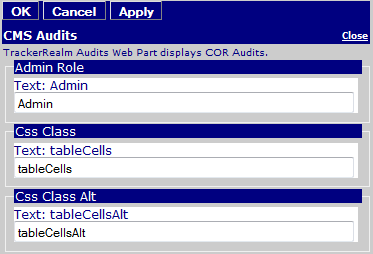
Edit Properties

Custom Edit properties for Upload Files include: