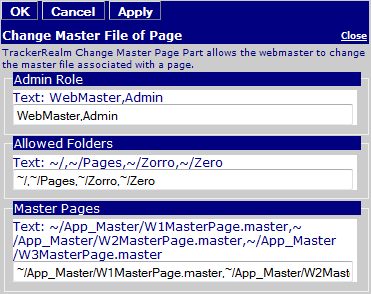
Web Part: CMS Change Master File of Page

Modified on 2011/04/20 20:46 by Charles — Categorized as: CMS, CMS Administration, Web Parts

Table of Contents [Hide/Show]


Table of Contents [Hide/Show]


CMS Change Master File of Page Web Part

Figure 1: Manage Files

Figure 1: Manage Files

Change Master File of Page is used to change the Master File of a Page.

Access

This Web Part is accessed by the CMS Admin Panel.

Procedure

To change the Master Page that a page currently uses:
  1. Select a page
    • The Master Page that is currently used by the page is displayed
  2. Change the Master Page by selecting from the list of Master Pages.

Figure 2: Upload Files Editor

Figure 2: Upload Files Editor

Edit Properties

Custom Edit properties for Upload Files include: