Web Part: CMS Create a Site

Modified on 2011/04/20 23:21 by Charles — Categorized as: CMS, CMS Administration, Web Parts

Table of Contents [Hide/Show]


   CMS Create a Site Web Part
      Access
      Features
      Procedure
   Edit Properties


Figure 1: Create Site

Figure 1: Create Site

CMS Create a Site Web Part

Create a Site is a one-click action used to create a folder with pages and protected by a role.

Access

This Web Part is accessed by the CMS Admin Panel.

Features

Features for the Create Site Web Part include:

Procedure

To create a folder with pages:
  1. Enter the name of the site. This is a mandatory field. This is used to create a folder.
  2. Enter the email that is responsible for managing this site. This is a mandatory field.
  3. Enter the url to the Company Logo. This is optional.
  4. Theme: Select a theme for pages in the site. The default is 'Default'.
  5. Pages (comma-separated list): A comma-delimited list of pages to add to the site. The default is: About_Us,Contact_Us. The 'Default' page is added automatically.
  6. Separate Navigation File?: If checked, a separate navigation file is created with the site pages included. If not checked, then the pages are includes in the website navigation file.
  7. Login Name (optional): This is the name that the user uses to login to CMS.

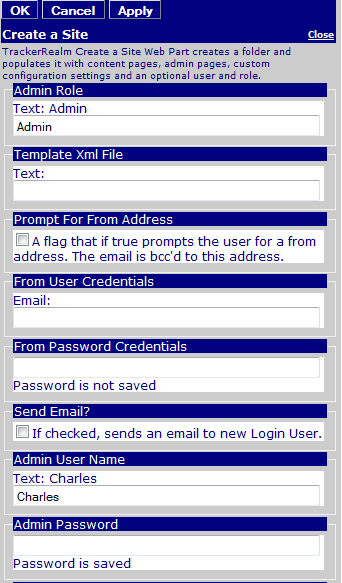
Figure 2: Create Site Editor

Figure 2: Create Site Editor

Edit Properties

Custom Edit properties for Upload Files include: