Web Part: Create CMS Role and User

Modified on 2011/07/19 15:52 by Charles — Categorized as: CMS, CMS Administration, Web Parts

Table of Contents [Hide/Show]


   Create CMS Role and User Web Part
      Access
      Features
      Procedure
      Edit Properties


Figure 1: Create User with Role Form

Create CMS Role and User Web Part

Create CMS Role and User is used to create a CMS user with a Role. If the Role does not exist, the Role is created.

Access

This Web Part is accessed by the CMS Admin Panel.

Features

Features include:

Procedure

To create a User with a Role:
  1. Enter a Role - this may be an existing Role or a new Role.
  2. Enter the Login ID. This must be a unique name, e.g. the user's email address is gaining popularity.
    • Note: The Login ID may not be changed after it is saved.
  3. Enter a password and confirm (this step may not be required if the password is automatically generated).
  4. Enter a valid email address, to which the (optional) registration can be sent.
  5. Enter a security Question and Answer (this may not be displayed if the site does not allow password recovery).
  6. Click 'Save'
    1. At this point, the Role is validated and created if necessary.
    2. The user and password is created with email, and optional Question and Answer.
    3. The (optional) email is sent to the email of the user confirming registration.

Figure 1: Editor for Create User with Role Form
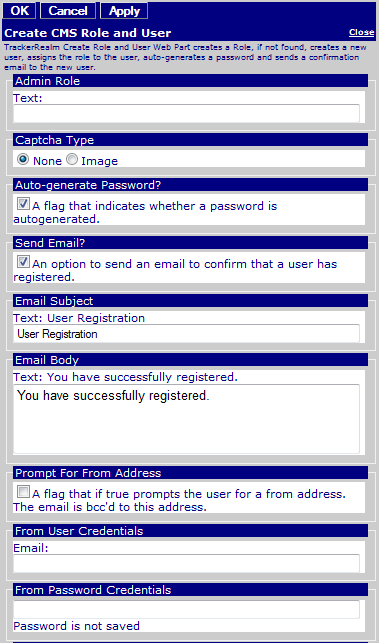
Figure 1: Editor for Create User with Role Form

Edit Properties

Custom Edit properties include: