The Jazz Rotator Web Part rotates through Jazz objects one at a time. This is useful as a news rotator.
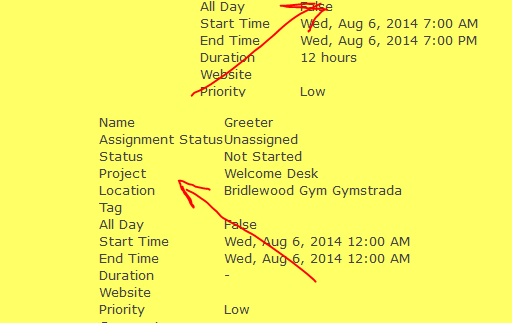 Figure 1: Jazz Rotator
Rotator use of Cover Flow
Figure 1 shows the rotator used in Cover Flow mode. The text flies into view from the bottom right. For this example, multiple fields with their labels (Show Labels property is checked) are displayed as the item.
The red arrows show the direction of the flow of the notes across the screen.
Rotator use of Automatic Advance
Figures 2 and 3 show the display and editing of the same note, respectively.
Figure 2 shows the rotator used in Automatic Advance mode as the text scrolls up. For this example, two properties are displayed: Title and Body for the Notes object. The Title - 'Jazz Apps are great!' and the Body - picture and rich text are both saved and displayed as Rich Text that was entered in the Rich Text Editor.
Jazz Editor Web Part
Figure 3 shows the [Jazz Editor Web Part] used to create a Note - just click 'Create note' and the editing of the Note. Within the editor, the body field uses a Rich Text Editor for text entry. Note that the Title field has been decorated with HTML tags.
Filtering notes
The Editor for the Note shows that the last field is Status with Active selected. This is useful, because Status can be used as a filter to only display 'Active' Notes. This allows the user to create notes, work on them and when ready, mark them 'Active' and then when they are ready to retire, mark them 'Completed'.
|
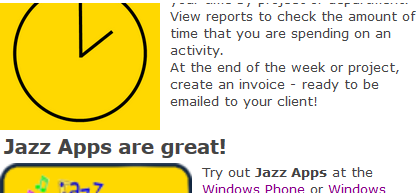 Figure 2: Jazz Rotator 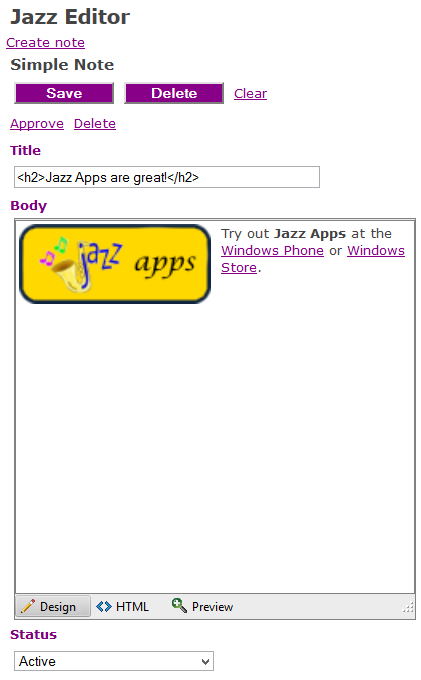 Figure 3: Jazz Note Editor |